
All articles
Connect with the API
Use your prompts inside your own apps, scripts and automations. Your library becomes the single source of truth for every tool you build.
Before you start
- API requests per month: free trial 200, Plus 20,000, Pro 200,000.
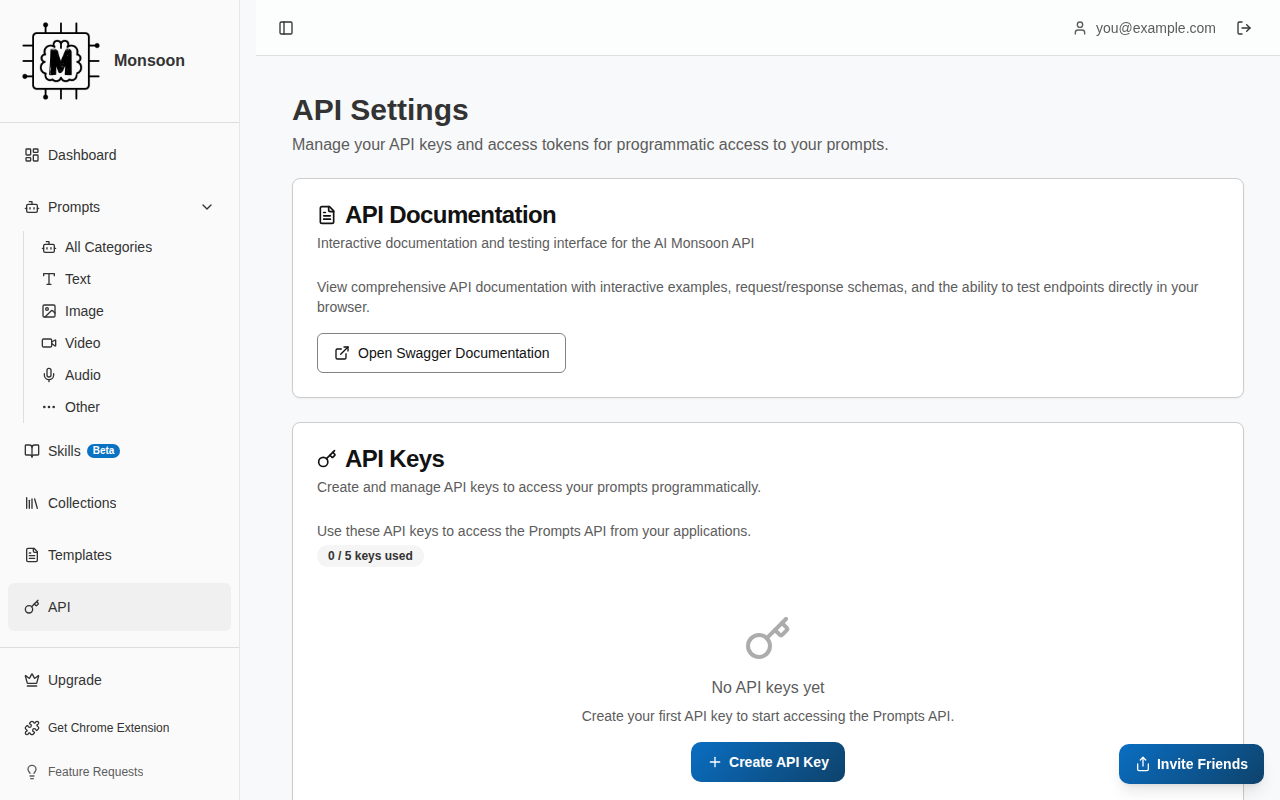
- You can have up to 5 API keys.
Create an API key
- In the sidebar, click API.
- Click Create API Key.
- Give the key a name, for example "Zapier".
- Copy the key and keep it somewhere safe.
Important: you only see the full key once. If you lose it, delete it and create a new one.
Use the key
- Click Open Swagger Documentation on the same page to try every request in your browser.
- Send your key in the
x-api-keyheader with each request.
Delete a key
Click the delete icon next to a key, then confirm. Anything using that key stops working at once.
Common questions
I get "Too Many Requests". You've used this month's requests. They reset on the 1st of each month, or upgrade for more.