
All articles
Get started in 5 minutes
By the end of this guide you'll have your own prompt library, your first reusable prompt, and you'll have run it in your favourite AI tool. It takes about 5 minutes.
Before you start
- You need an AI Monsoon account. Every new account gets a 14-day free trial. No credit card needed.
Step 1: Create your account
- Go to aimonsoon.com and click Start free trial.
- Sign up with your email, or with Google, GitHub or Apple.
- Answer the short welcome questions.
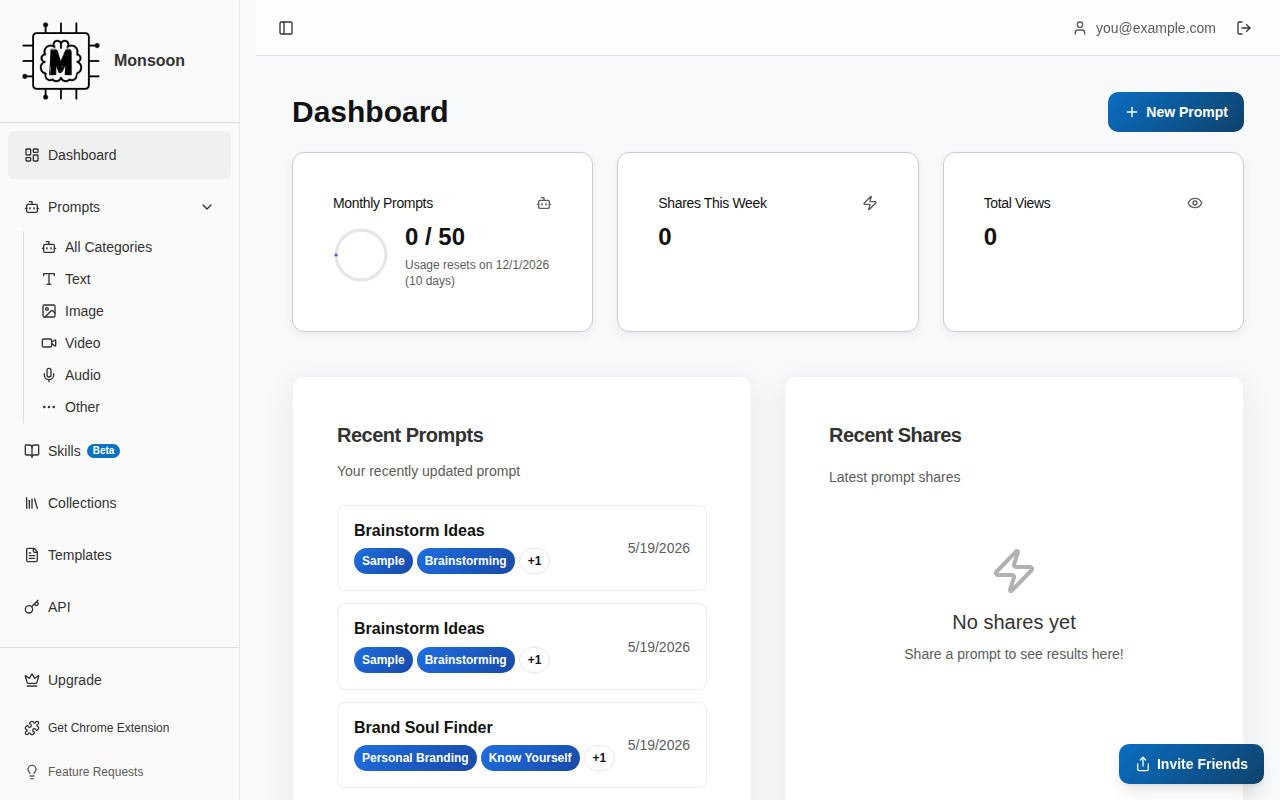
You'll land on your Dashboard. We've added two sample prompts so your library isn't empty.
Step 2: Save your first prompt
Think of a prompt you've typed more than once. That's your first one.
- Click New Prompt.
- Paste or type your prompt into the Prompt box.
- Give it a Name and pick a Category (Text, Image, Video, Audio or Other).
- Click Save.
Full guide: Save your first prompt.
Step 3: Run it in your AI tool
- In the sidebar, click Prompts.
- On your prompt's card, click the Run icon (▷).
- Choose ChatGPT, Claude, Gemini, Grok or Perplexity.
Your AI tool opens with the prompt ready. Full guide: Run a prompt in your AI tool.
Step 4: Get a head start with templates
- In the sidebar, click Templates.
- Click any template to preview it, then click Use Template.
Full guide: Start from a template.
You're set up
You now have a library that grows every time you write a prompt worth keeping. Next, try: